
Uploading Audio
Uploading Existing Audio to CRUSH
Spoken audio files can be uploaded to the CRUSH app. The speech will be transcribed and placed into a new note as if it were recorded in the app.
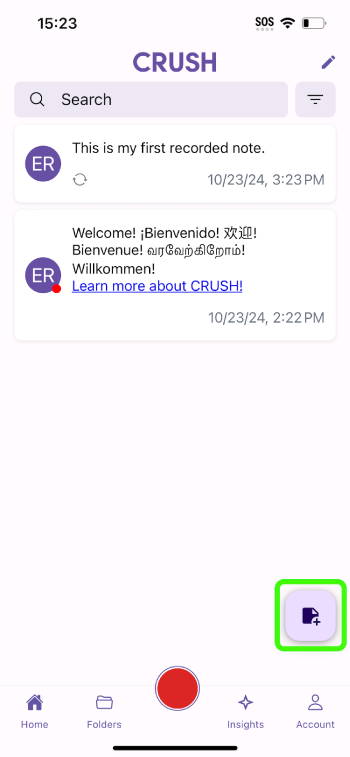
Step 1: Press the floating action button on the home screen.
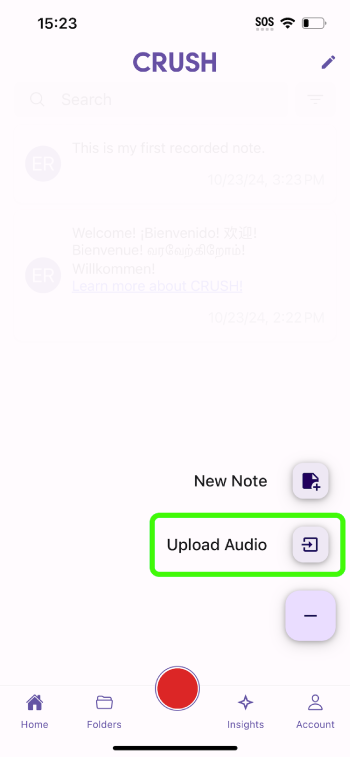
Step 2: Press upload audio.
Step 3: Select the audio files you want to upload.
The following audio formats are currently supported:
wav
aac
mp3
m4a
mp4
flac
Was this helpful?