Indicator Panel
WiFi Connection
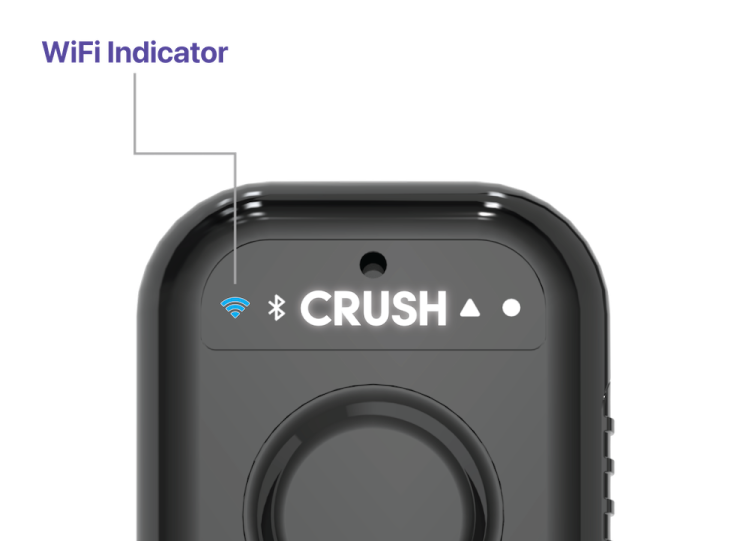
The WiFi indicator panel displays the current status of the WiFi connection, ensuring users know when the CRUSH Pro is connected. Once connected, recorded audio files are automatically uploaded to the cloud.
| Status Type | Description |
|---|---|
| Illumination color: | Blue |
| Blinking: | Searching for a configured WiFi network |
| Fading/Pulsing: | Connected to WiFi and sending an audio file |
| Solid: | Connection to WiFi is established awaiting an audio file to send |
| Fast Blinking: | Transmission failed. |
Bluetooth Pairing
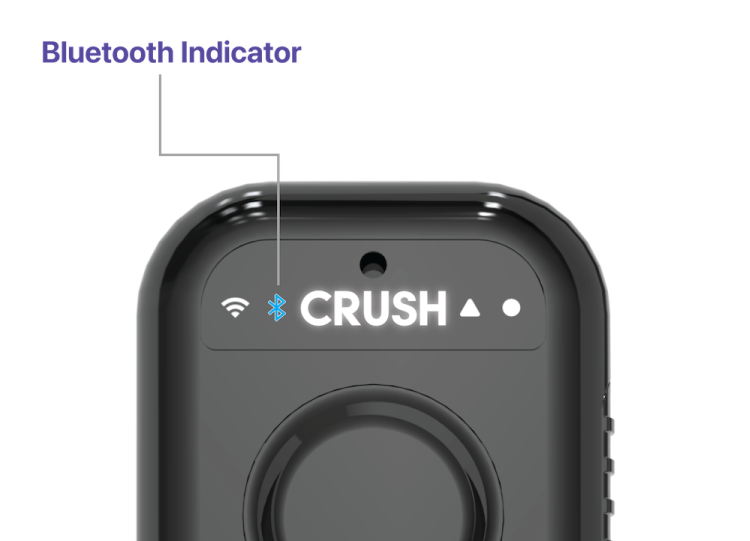
The Bluetooth mode is used to connect the CRUSH Pro to a mobile device to:
Connect a CRUSH Pro to an account for the first time.
Update WiFi settings (add, change, delete).
Manage any audio recording files on the CRUSH Pro (view, delete).
Transfer audio files by Bluetooth. (To be implemented)
To enter Bluetooth mode, unlock the CRUSH Pro, and then press and hold the Record button until the Bluetooth indicator light begins to blink.
| Status Type | Description |
|---|---|
| Illumination color: | Blue |
| Blinking: | Looking for a CRUSH Pro in pairing mode |
| Solid: | Successfully paired with a CRUSH Pro |
CRUSH Recording
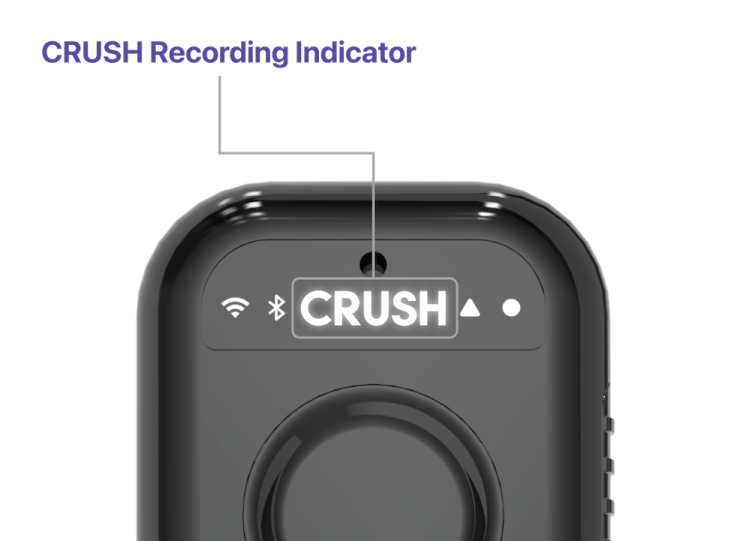
A solidly illuminated CRUSH logo indicates an active recording. The light is bright enough to remain visible in all typical lighting conditions, even under direct sunlight at high noon.
| Status Type | Description |
|---|---|
| Illumination color: | White |
| Solid: | Indicates a recording in progress |
| Blinking 5x: | Audio recording canceled |
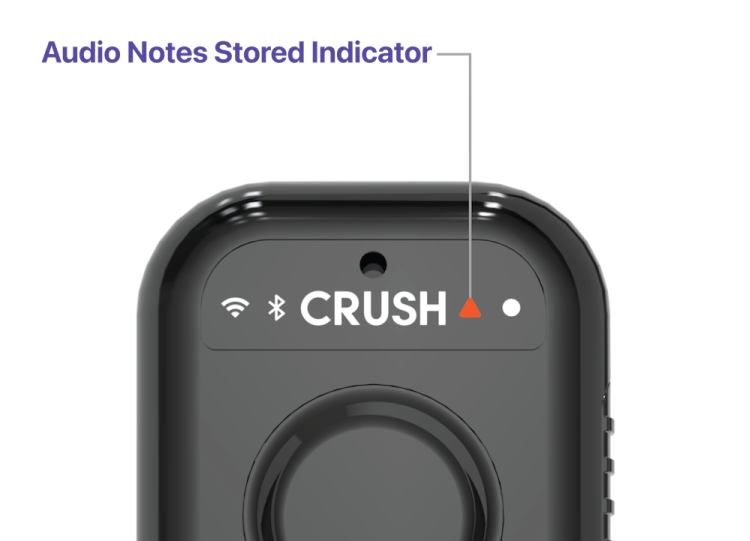
Audio Notes Stored Indicator
The CRUSH Pro can store up to 15 hours of recorded audio notes. When there are unsynced audio files waiting for a WiFi connection, the triangle indicator will illuminate.
| Status Type | Description |
|---|---|
| Illumination color: | Orange |
| Solid: | Indicates audio notes stored on the CRUSH Pro |
Battery Level Indicator
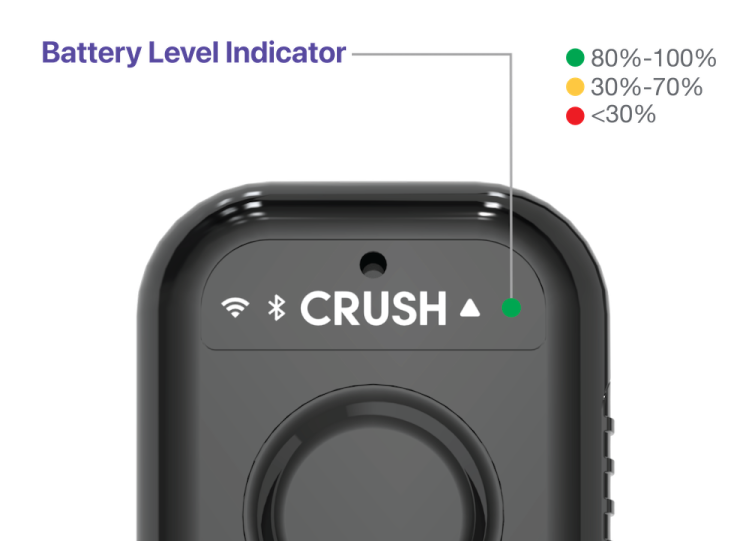
The CRUSH Pro has a standby battery life of up to 10 days, though actual battery life will vary based on individual usage. A visual indicator in the ‘My CRUSH Devices’ section of the mobile or web app allows users to check their battery percentage at a glance.
Battery charging from 0% - 100% is approximately six (6) hours.
| Status Type | Description |
|---|---|
| Illumination colors: | green, yellow, red |
| Solid Green: | 80% - 100% charged |
| Solid Yellow: | 30% - 70% charged |
| Solid Red: | 30% or less charged |
| Fast Blinking Red: | Needs charge to activate |
| Pulsing Green/Yellow/Red: | Actively charging |